Rosters that already know the award.
Publish with confidence. Pay without surprises.
Build and publish rosters for shift-based teams with the award rules checked as you edit. Offer open shifts to eligible staff, confirm worked time, and hand payroll a file it can trust.
Filmed in a sample council workspace. The same rules engine runs any award you configure.
From the rules at the start
to the payroll file at the end.
- 1
Set the rules once
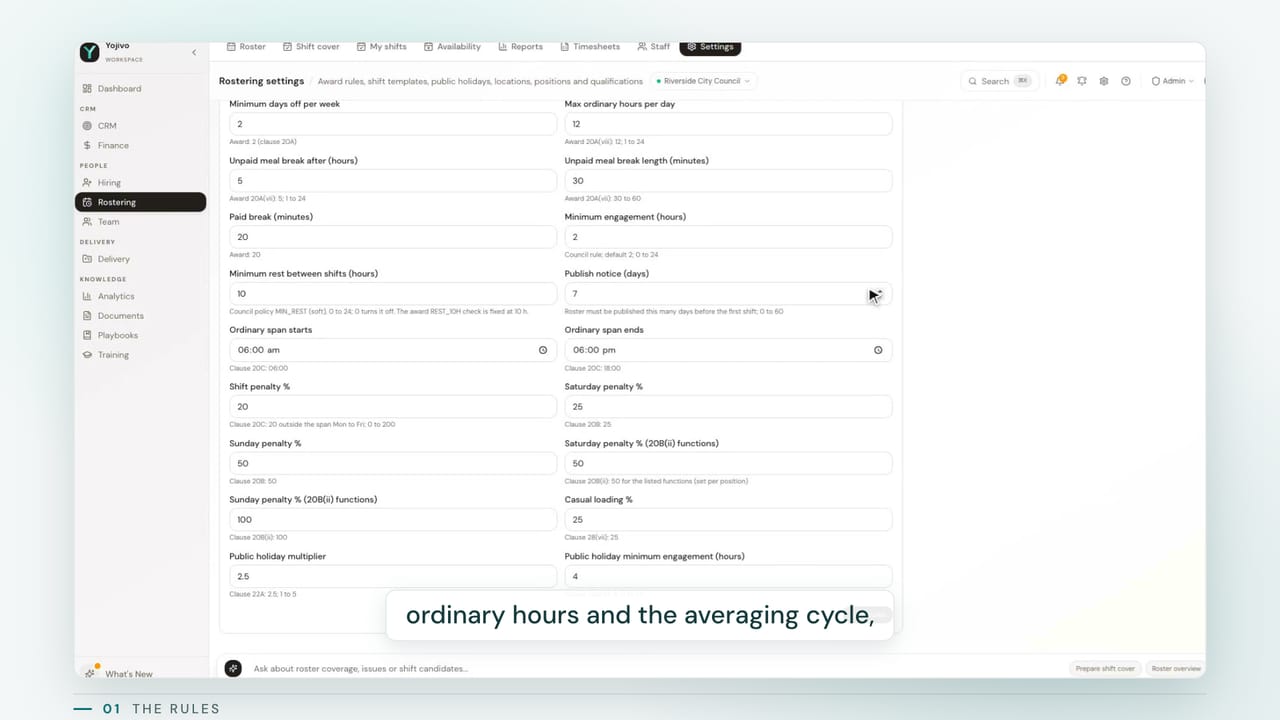
Ordinary hours and the averaging cycle, breaks and minimum engagement, weekend and shift penalties, overtime steps, public holiday rates, and how much notice staff get before a roster goes out. Every one is a setting, so a different award is configuration, not a project.
- 2
Templates, positions and public holidays
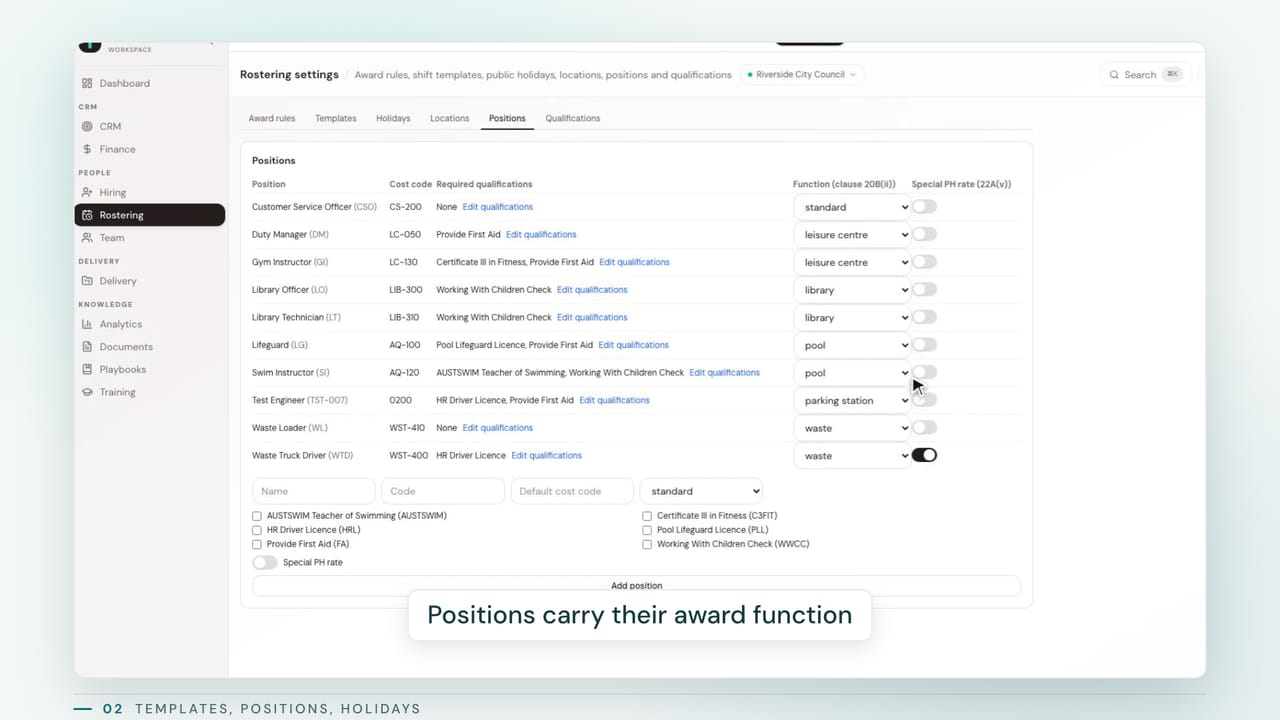
Shift templates describe a normal day: start, finish, break, weekdays and how many people each day needs. Positions carry their award function group and required qualifications, so an expired licence is caught at rostering time, not at payroll. Public holidays are set per workspace, with a special rate where a clause asks for one.
- 3
Staff profiles
Employment type, contract hours, home site and positions, imported straight from payroll as a CSV. Deactivating someone removes their access and keeps their payroll record.
- 4
Build the period
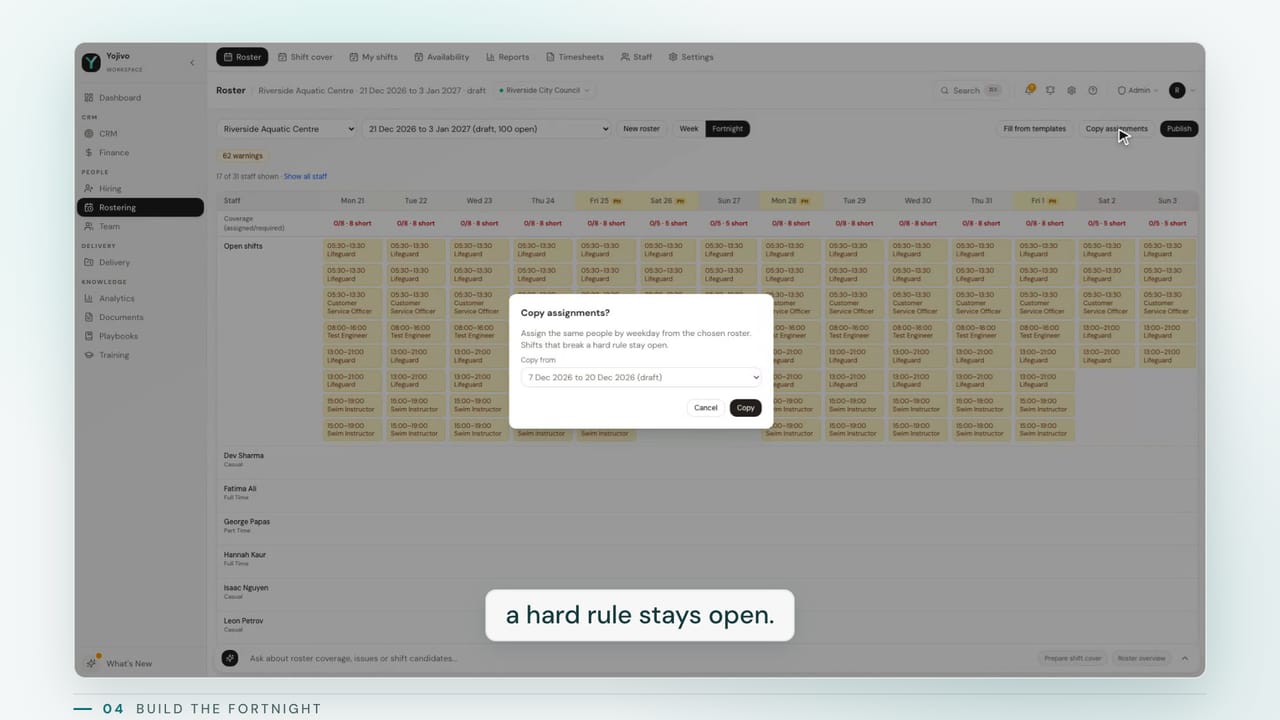
A new roster is a start date and a length. Fill from templates creates every open shift the templates ask for, and copy assignments brings last period's people across by weekday. Anyone who would break a hard rule stays open rather than being forced in.
- 5
Coverage and public holidays
Coverage against demand sits at the top of every day. Public holidays are marked, and the shifts on them are checked against the public holiday clauses.
- 6
Publish with the rules checked
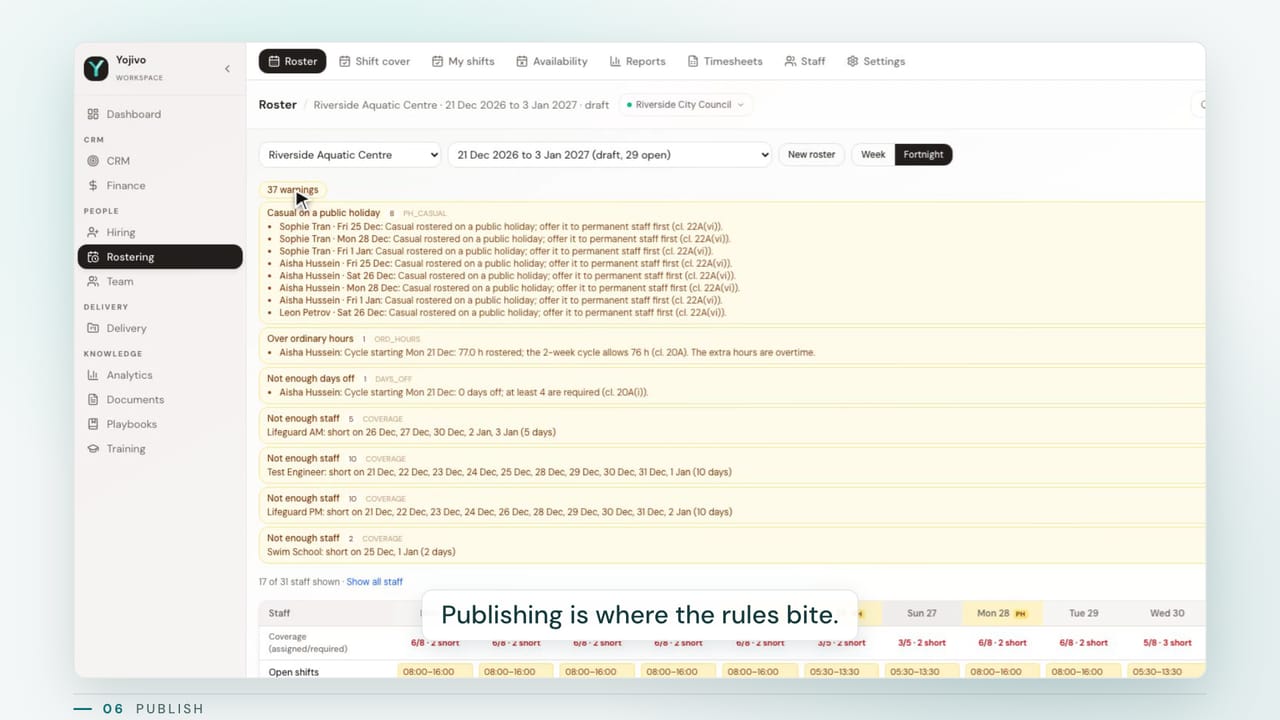
Hard violations stop publication. Warnings are listed by rule, and the manager sees exactly who will be notified. Staff see the roster only from this moment.
- 7
Offer open shifts to eligible staff
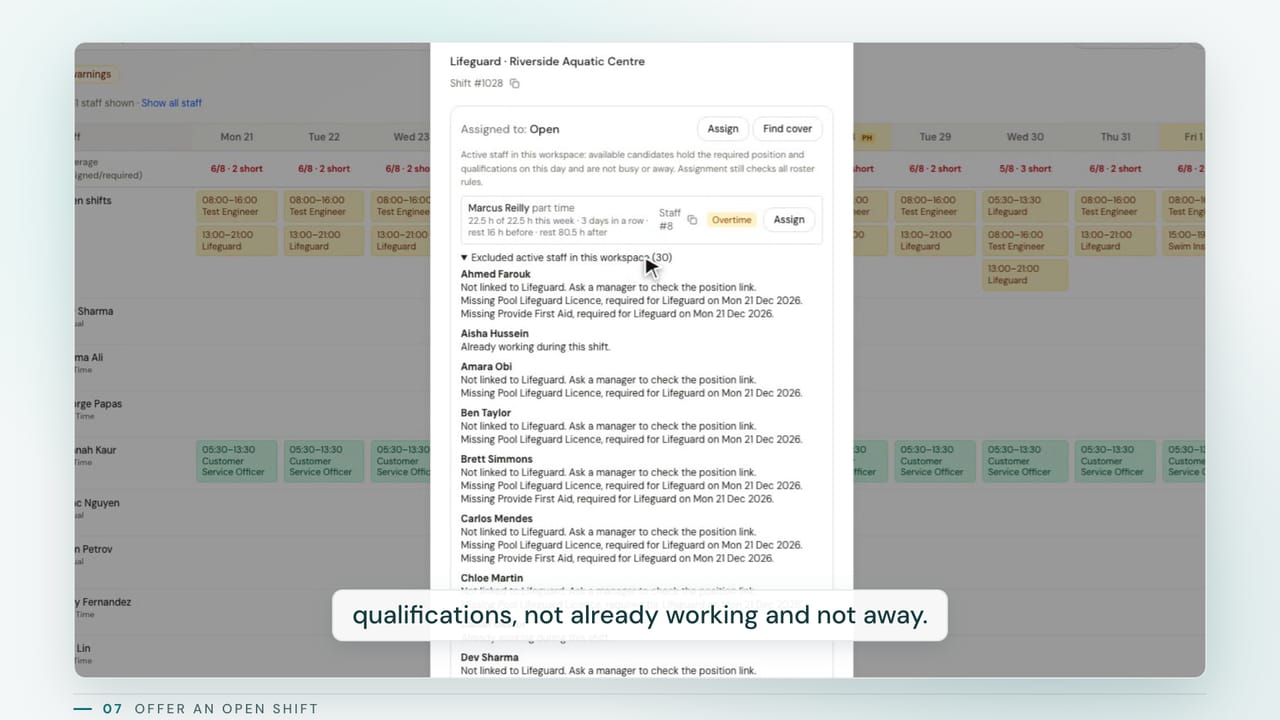
An open shift goes only to staff with the right position and valid qualifications who are not already working and not away. Anyone excluded is listed with the reason, and the manager chooses who gets the message.
- 8
Staff see only their own shifts
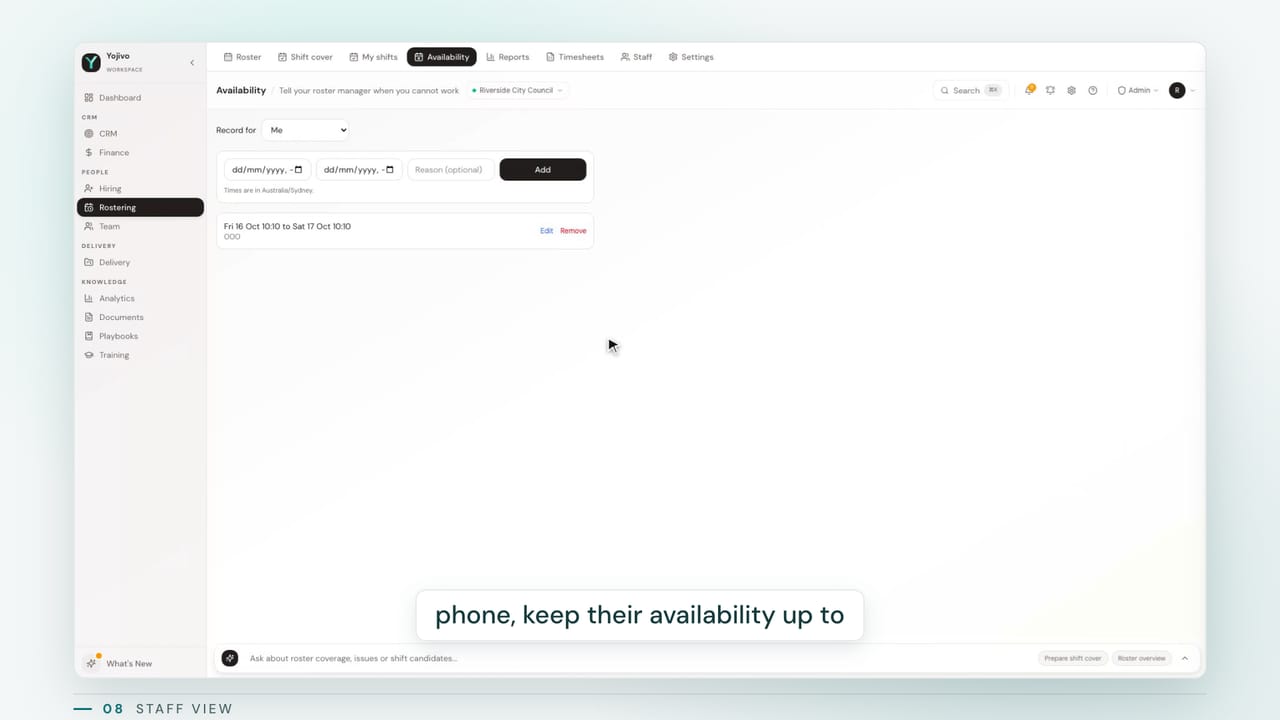
Staff see their published shifts and offers, accept or decline, record availability, and ask for cover from the shift itself, so finding a replacement starts without a phone call.
- 9
Confirm worked time and generate timesheets
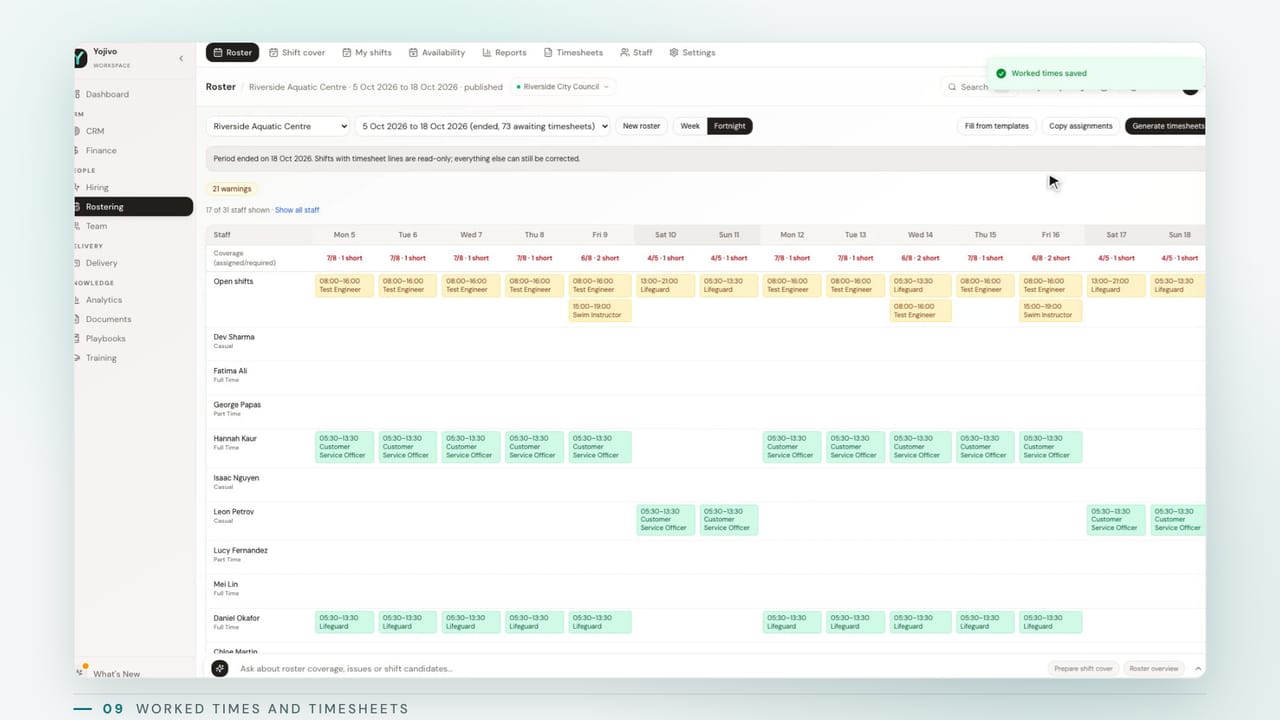
When the period ends, worked times are confirmed by the staff member or the manager. Generate timesheets turns finished shifts into payroll lines, lists anyone still missing times by name, and keeps the manager's decision on the record.
- 10
Approve and export by pay code
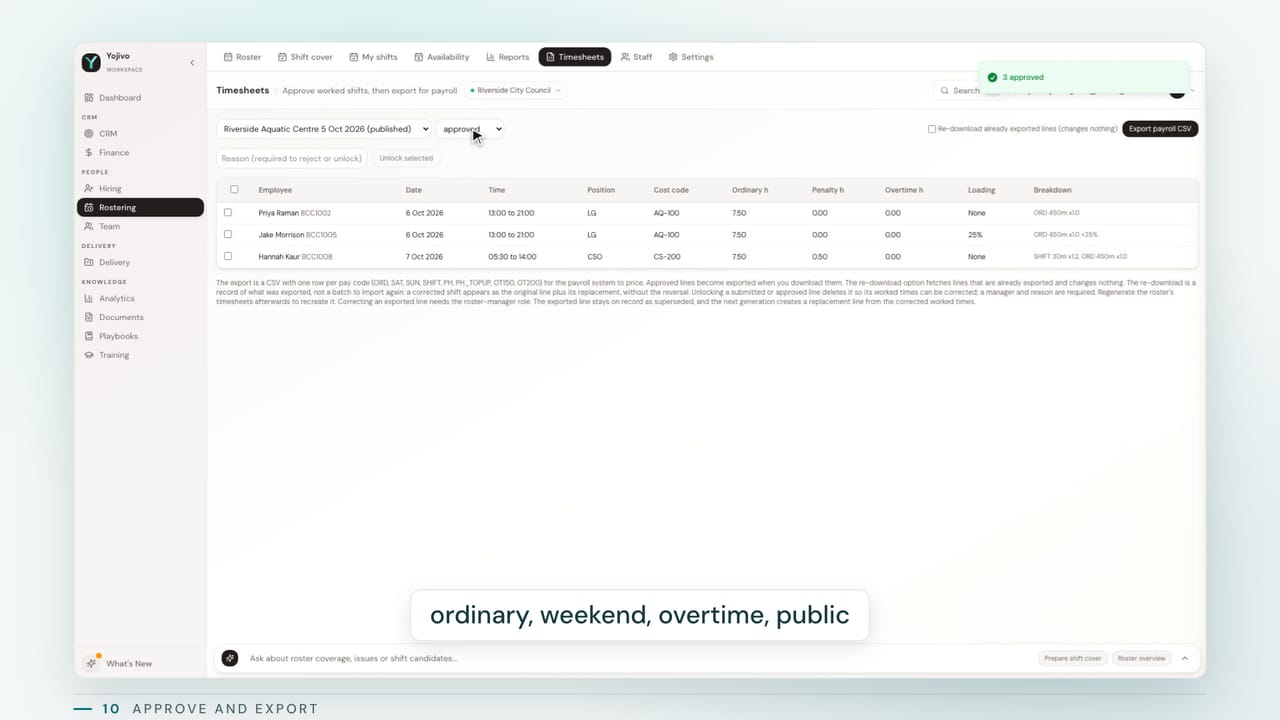
Payroll approves lines already classified as ordinary, weekend, shift penalty, overtime, public holiday and casual loading. The export holds approved lines only, one row per pay code. A correction after export becomes an adjustment row, so the original is never rewritten.
- 11
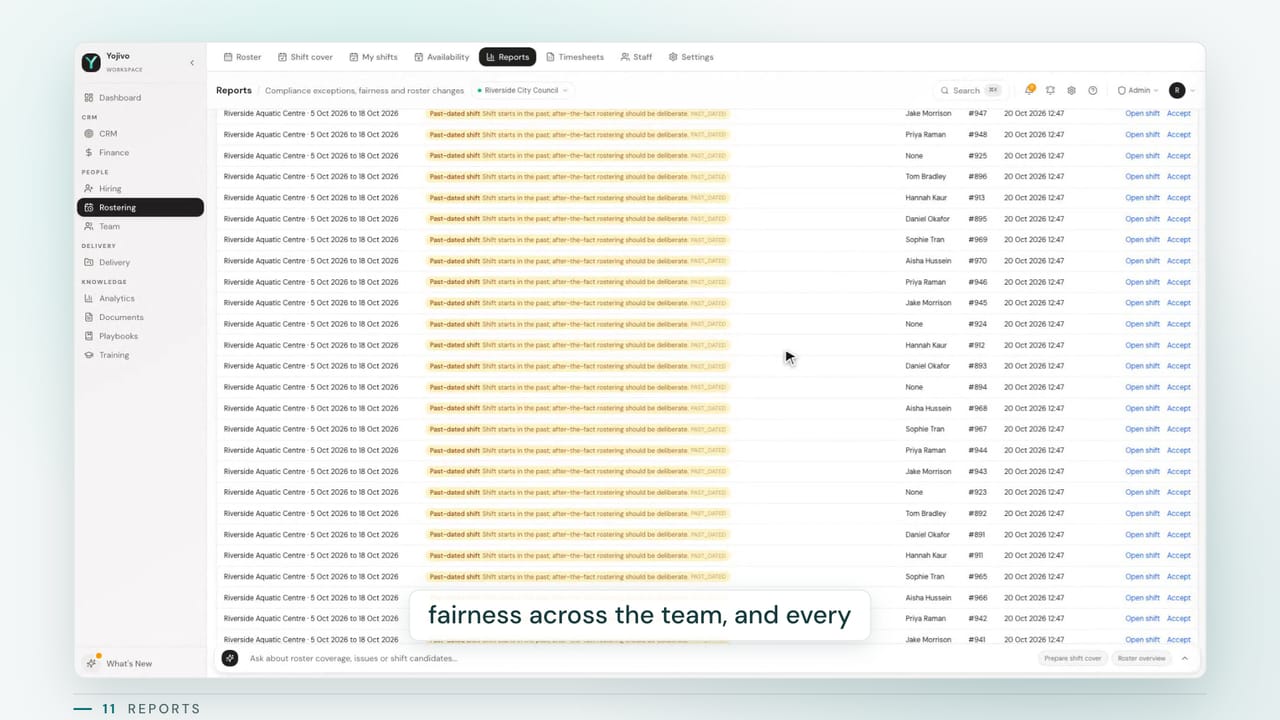
Reports and audit trail
Compliance exceptions with when they were first seen and who accepted them, fairness of hours and penalty shifts across the team, and every roster change with before and after.
Checked as you edit, not discovered at payroll.
The first shipped profile is the NSW Local Government (State) Award 2023. Every value is a setting per workspace, so another award or agreement is configuration.
Blocks publishing
Hard rules. The roster cannot go out until these are fixed.
- Minimum engagement
A shift cannot be shorter than the minimum the award or your policy sets.
- Maximum daily hours
Ordinary hours never exceed the daily cap in a local day.
- Meal breaks
No more than the allowed stretch without an unpaid meal break.
- Rest after long overtime
After a long overtime block, the required consecutive hours off must follow.
- Overlapping shifts
One person cannot be in two places at once.
- Recorded unavailability
A shift cannot land on time the person has marked as away.
- Missing or expired qualifications
A position that needs a licence or certificate only goes to someone who holds a current one.
- Publish notice
A future roster cannot be published with less notice than your policy promises staff.
Warns
Soft rules. Listed by rule and kept as exceptions until resolved.
- Ordinary hours over the cycle
Hours are checked as a total across the averaging cycle, not just one week.
- Days off per week
Fewer days off across the cycle than the award expects is flagged for the manager.
- Short-notice start changes
A changed start or finish inside the notice window is flagged for the manager.
- Shift added on a day off
A new shift on a rostered day off inside the notice window is flagged.
- Coverage against demand
Each day is compared with the staffing the templates ask for.
- Rest gap between shifts
A short gap between two shifts is flagged against your rest policy.
Classifies pay
Worked time is classified by pay code before payroll sees it.
- Saturday and Sunday penalties
Weekend rates, including the higher rates some function groups attract.
- Shift penalties outside the span
Early, late and night work outside the ordinary span, with spans per function.
- Overtime steps
Time-and-a-half then double time, with the weekend variations.
- Public holiday rates
Public holiday multipliers, minimum payments, and special rates where a clause asks for one.
- Casual loading
Loading applied per segment, never compounded onto overtime or holiday top-ups.
Shift-based teams under an award or agreement.
Councils and local government
Aquatic centres, libraries, depots and customer service under one award, with payroll due every fortnight.
Aquatic and leisure centres
Lifeguards, instructors and duty managers with qualifications that expire and demand that changes by season.
Aged care and community services
Permanent, part-time and casual staff across sites, with rest and notice rules that must hold.
Facilities and field crews
Multi-site teams with acting duties, public holiday work and overtime that has to be classified correctly.
Rostering questions, answered.
See how it all connects
We'll walk you through a live demo of the AI assistant, platform capabilities, and how it all connects — tailored to your firm's needs.